
A useful SAT checklist prevents last-minute decisions. Prepare your device and documents first, then handle comfort items and transportation. This guide separates the official requirements you need to verify from practical packing suggestions, so you can check each item with confidence.
Start with the official essentials
College Board’s what-to-bring list includes a fully charged approved device with Bluebook and exam setup completed, your admission ticket, acceptable physical photo ID, and pens or pencils. You should also know your College Board login. An approved handheld calculator is an option; Bluebook includes a calculator.
Use the official list again shortly before your appointment. Requirements may differ by location or approved accommodation, and a friend’s experience at a different administration does not override your instructions. If anything is unclear, resolve it before the morning of the test.
Device readiness is more than charging the battery
Open Bluebook on the actual device you intend to use, check that it runs, and complete the required setup. According to Bluebook’s SAT Weekend instructions, exam setup becomes available five days before the test and provides your admission ticket. That is a separate task from creating an account or installing the application.
Do a small rehearsal in advance: locate your charger, confirm that the keyboard and trackpad work comfortably, and make sure you can sign in without depending on a password saved only on another device. Avoid making a major operating-system change at the last minute unless it is necessary to meet the current requirements.
Follow the official registration and test-day guide for accessories and power expectations. Do not assume a nearby outlet will be available. If you are using an approved loaned device, follow the separate pickup and early-arrival instructions rather than trying to duplicate a personal-device routine.
Check your ID and admission ticket together
Lay out the ID you plan to bring beside your admission information before packing. Verify that your name and test details are consistent with the official requirements. The ID must meet the rules that apply to your testing location; a photo of a document on your phone is not the same as an acceptable physical ID.
After exam setup, save the current ticket in a form you can access. College Board prefers a printed admission ticket. Printing it ahead of time avoids relying on a low phone battery, an inaccessible email account, or an unavailable printer on test morning.
Check the address carefully. A school may have several buildings or entrances, and the location you remember from a practice session may not be your assigned test center. Put the actual destination in your transportation plan, not just the school’s name.
A packing table you can work through
This table is an organizational aid. The linked official rules remain the authority for what is permitted and required.
| Group | Prepare | Check before leaving |
|---|---|---|
| Device | Approved device, Bluebook, completed setup | Charged and ready to sign in |
| Documents | Current ticket and acceptable physical ID | Correct test details and location |
| Scratch work | Pen or pencil | Follow proctor instructions for provided paper |
| Optional tools | Approved calculator and compatible charging equipment | Check the current accessory rules |
| Break | Water and a familiar snack | Keep them for the permitted break |
| Travel | Route and pickup plan | Arrival time from your ticket |
Pack by group rather than putting loose items in different places around your home. One small document pocket and one device compartment make the final check faster. Do not leave an essential document in a bag someone else may take that morning.
What about phones, smartwatches, and headphones?
Check the current prohibited-device rules before bringing electronics. The official test-day guide explains that phones must be stored as instructed, and smartwatches and other prohibited devices cannot remain available during testing. Wireless audio devices are not ordinary test accessories. Approved accommodations can have specific equipment instructions.
A sensible packing habit is to leave unnecessary electronics at home. If you need a phone for transportation, plan how you will follow the proctor’s storage instructions. Do not assume airplane mode makes a prohibited item acceptable or that a break allows unrestricted access to stored devices.
For medical devices or accommodation-related equipment, use the official directions for your approval. Avoid substituting a general blog recommendation for instructions specific to your situation.
The evening-before routine
Finish packing early enough to fix a missing item. Charge the device, place your ID and ticket with the bag, and confirm your route. Check official messages for test-center changes. Choose a breakfast and clothing you already know are comfortable rather than experimenting with a new routine.
Then stop adding tasks. An evening spent endlessly rearranging supplies can create stress without improving readiness. Write a short final checklist—device, documents, scratch-work supplies, travel—and use it once. Keep your regular rest routine as much as practical.
If another person is driving you, share the arrival plan beforehand. Confirm which entrance to use and how pickup will work if dismissal is later than expected. This reduces the need to coordinate through messages immediately before testing.
The morning-of routine
Check for official updates, collect the packed bag, and leave the planned travel buffer. At the center, follow staff directions for seating, stored belongings, and sign-in. If something goes wrong, ask the proctor about procedure rather than attempting an unfamiliar workaround.
Remember that arrival time and testing time are different. See the SAT timing guide for the distinction. Do not promise an exact pickup time based only on the 134 minutes of standard testing.
Questions students ask before packing
Do I need my own scratch paper?
The proctor provides scratch paper. Bring the permitted writing supplies and follow the rules for using and returning the paper.
Must I bring a handheld calculator?
Bluebook has an embedded calculator. If you prefer a handheld one, verify that it is allowed and practice with it beforehand. Bringing a tool you do not know how to use is not an advantage.
Can a packing checklist replace official instructions?
No. Use this guide to organize the work, then confirm current requirements in your ticket, Bluebook, and College Board’s official materials. Finish logistics early so your final preparation can focus on calm, familiar review.
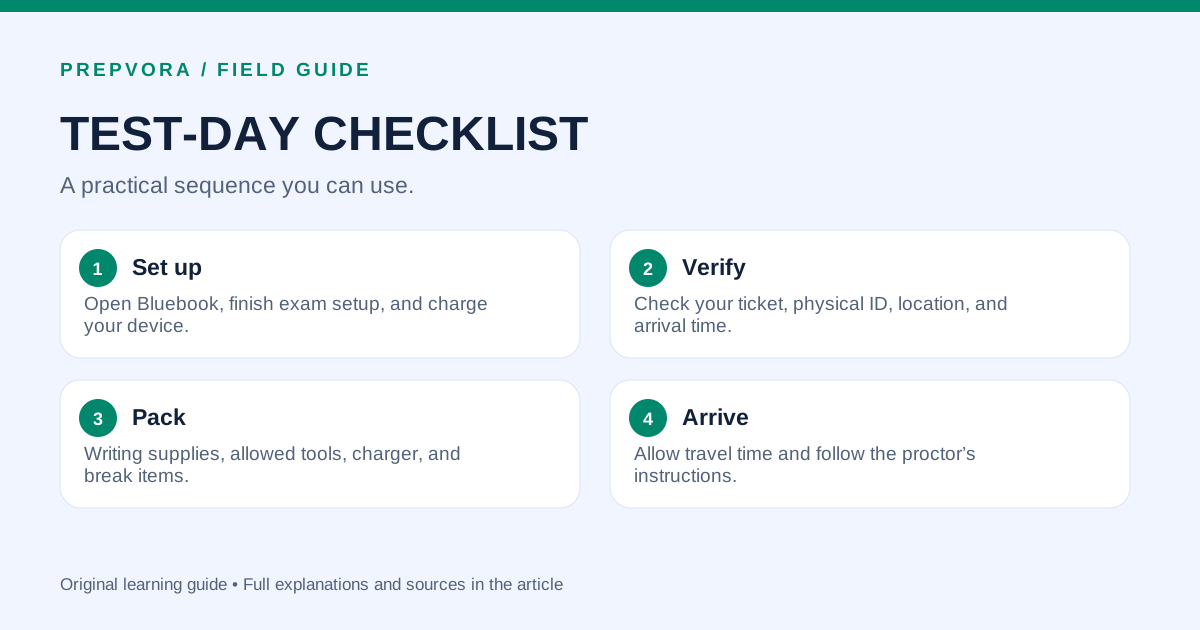
Pack in four deliberate steps
A map of this article. Follow the ideas in order, or revisit the one you need.
Set up
Open Bluebook, finish exam setup, and charge your device.
Verify
Check your ticket, physical ID, location, and arrival time.
Pack
Writing supplies, allowed tools, charger, and break items.
Arrive
Allow travel time and follow the proctor’s instructions.
Sources & further reading
AI overview
The useful ideas to take with you.
- Complete Bluebook exam setup on the intended device before test day.
- Pack an acceptable physical ID and the current admission ticket together.
- Use the official rules for electronics, accessories, and accommodations; this checklist helps organize those checks.
AI-assisted summary, saved with this article. Use the full guide for context. Confirm current exam and college policies with the official source.
Find your next step.
A diagnostic helps you identify where to focus your practice.